Approximately 60% of students face significant challenges in organizing their time and planning their studies. This includes a lack of a structured system, forgetting important tasks, and inadequate preparation for exams and projects. These issues often result in lower academic performance and increased stress levels, highlighting the need for effective time management tools and strategies.
II. Motivation and Goal Achievement
Around 45% of students report difficulties in staying motivated and achieving their academic goals. A common trend is procrastination, with students delaying the start of their studies or abandoning their plans when faced with obstacles. This lack of persistence undermines their ability to reach academic success, emphasizing the importance of tools and systems that foster motivation and accountability.
III. Lack of Interaction and Support
For 10% of students, the absence of a strong community or support network poses a significant barrier. This lack of interaction limits their ability to resolve doubts, share knowledge, and maintain engagement, especially in group study settings. A supportive environment is crucial for fostering collaboration and enhancing the learning experience.
IV. Lack of Progress Tracking
40% of students lack effective tools to monitor their progress, which hinders continuous feedback and the ability to adjust study strategies. Without clear insights into their academic progress, students struggle to identify areas for improvement and optimize their learning methods, ultimately affecting their performance and confidence.
To gather this information, a survey was conducted with over 1,000 students from various public and private universities. The aim was to understand the key challenges they face in their academic journeys, including organization, motivation, support networks, and progress tracking. By collecting insights from a diverse range of students with different educational backgrounds and experiences, the survey provided a comprehensive understanding of the common obstacles and areas that need improvement to enhance their academic performance and overall learning experience.
Academic stress, poor grades, and a sense of disorganization.
Procrastination and lack of motivation can reduce productivity and negatively impact academic performance.
Lack of Interaction and Support
The absence of social interaction can decrease study effectiveness and limit the exchange of knowledge and useful strategies.
Lack of Progress Tracking
Without proper tracking, it is difficult to identify areas for improvement and adjust study strategies effectively.
1. Organization and Planning
The app will address these issues comprehensively by allowing users to set clear academic goals and break them down into daily and weekly tasks. This will resolve 60% of the problems related to study organization and time management, helping students create structured and efficient plans.
2. Motivation and Goal Achievement
A system of points, achievements, and rewards will incentivize students, effectively tackling 45% of the challenges associated with lack of motivation and difficulty in meeting academic objectives. This gamified approach will keep users engaged and focused on their goals.
3. Interaction and Support
To address the 10% of users facing interaction and support challenges, the app will foster the creation of a support network. Users will be able to share goals, participate in group challenges, receive peer feedback, study collaboratively, and connect with other students. This will cultivate a sense of community, improving motivation and commitment.
4. Progress Tracking
The solution includes detailed progress tracking tools, featuring statistics and visual graphs. These features will address 40% of the issues related to the lack of progress monitoring, enabling users to adjust their study strategies based on real data. This will enhance their effectiveness and improve academic performance over time.
Market Research
It is estimated that the global VR market in education could exceed $30 billion by 2025, considering the growing adoption of immersive technologies in learning.
Within this market, Questify focuses on the higher education and professional training sectors, which represent a significant fraction of the TAM. For instance, if 20% of the TAM is accessible through VR platforms, this could represent a SAM of approximately $6 billion.
If Questify manages to capture 5% of the SAM within its first few years, this would represent a target market of approximately $300 million.
User Persona
The main challenge
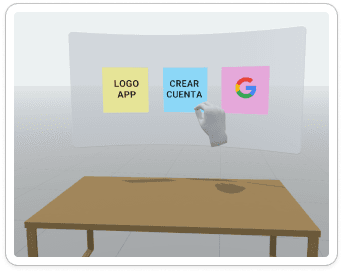
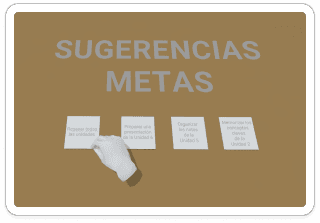
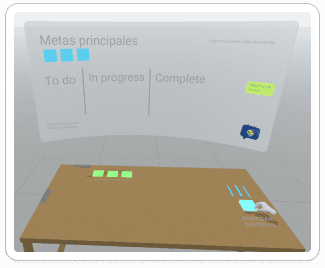
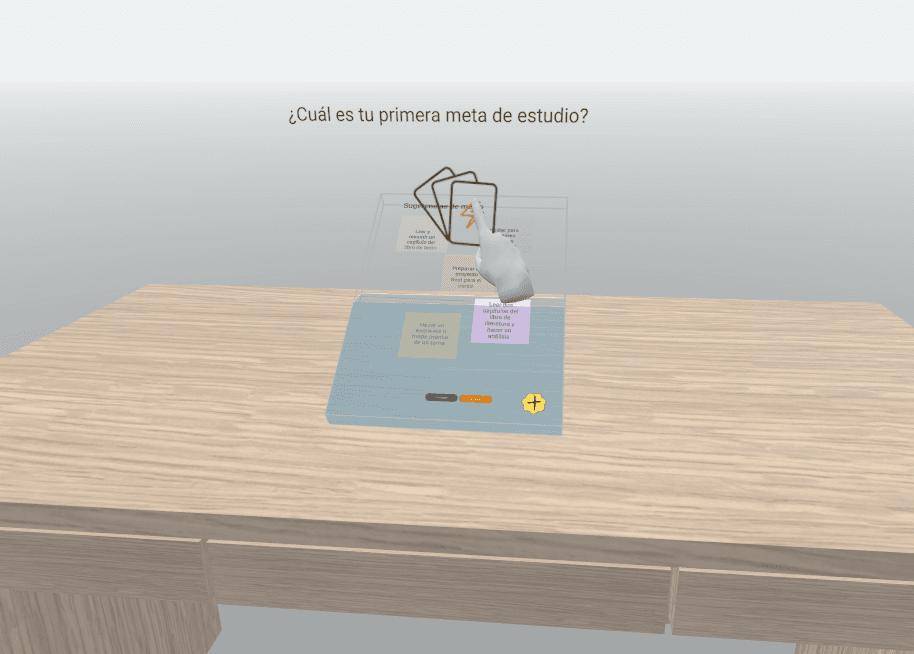
The main challenge in designing Questify was creating a seamless and engaging user experience that integrated all essential components of the platform while maintaining clarity and accessibility. To tackle this, I began by prototyping the core features in Unity, laying the foundation for the project's functionality and ensuring its scalability. Using Shapes XR, I developed a mixed reality (MR) onboarding scene designed to guide users through the process, starting from account creation to reaching the main menu where they could organize their tasks effectively.
For asset creation, I utilized Blender to design 3D elements that brought the virtual environment to life, ensuring they were visually cohesive and optimized for performance. In the early stages, Figma was instrumental in crafting the initial onboarding flow, focusing on streamlining the process and enhancing usability.
Initial Design Approach
Initial User Testing
We conducted our first round of user testing with a group of 10 participants aged 18 to 30. This diverse group provided valuable insights into the usability and ergonomic aspects of the interface.
What were we testing?
The main goal was to evaluate the usability of the interface and identify any ergonomic challenges. Specifically, we wanted to see if users could intuitively interact with the system and understand how objects transitioned within the virtual space, such as from the table to appearing in front of the user.
What did we learn?
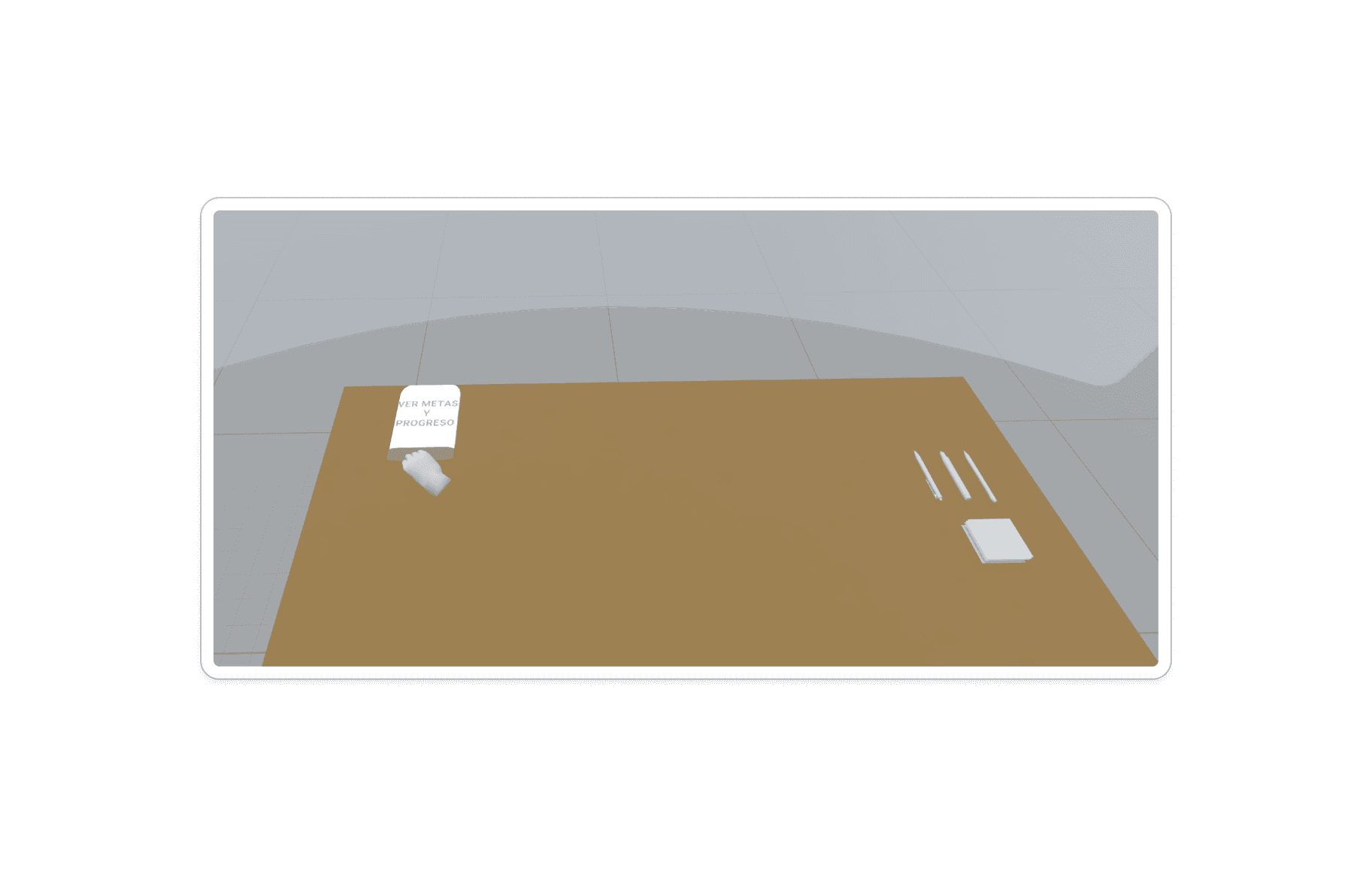
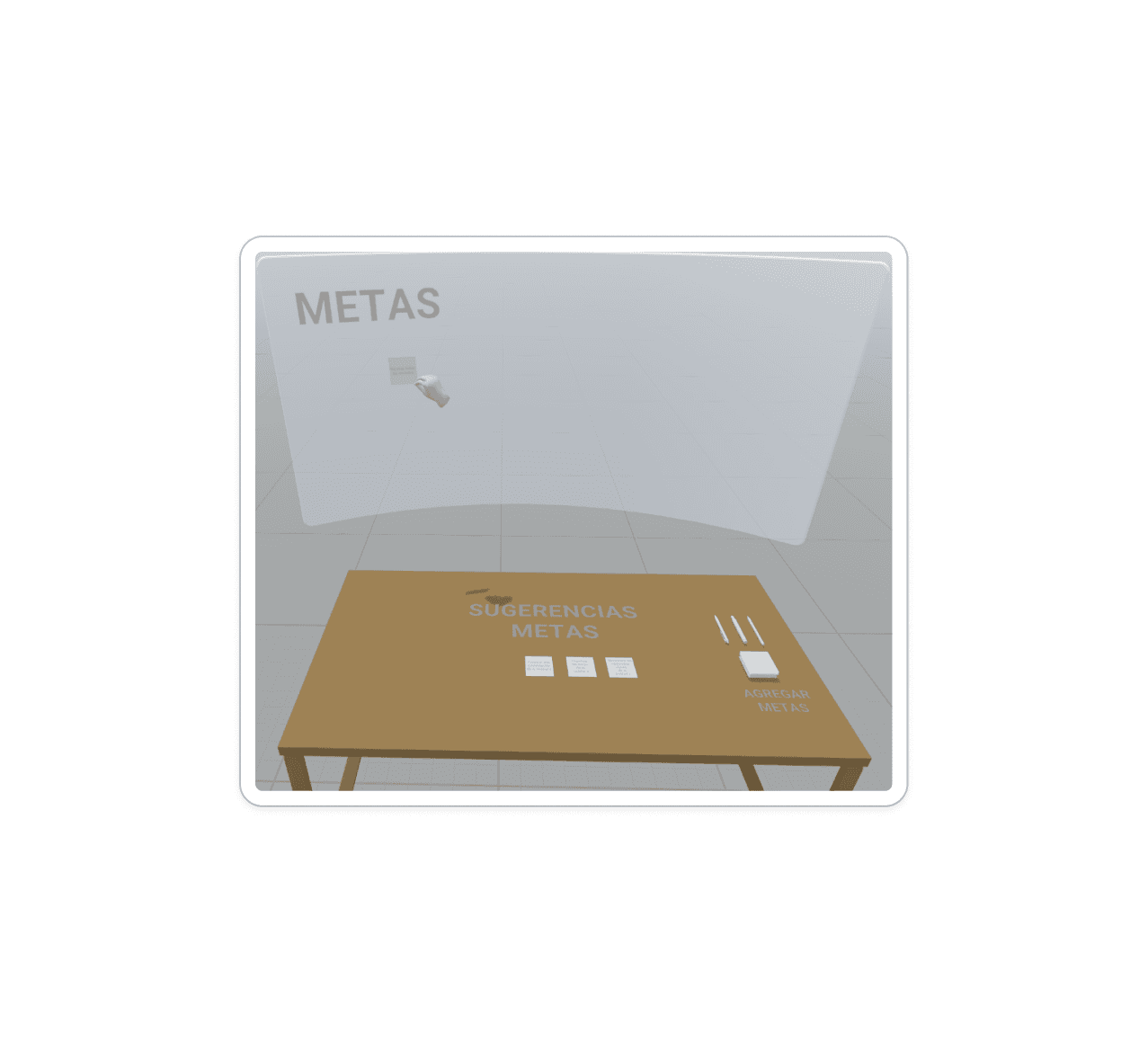
After observing and interviewing participants, we discovered several areas for improvement. Many users struggled to understand the spatial transitions within the interface, such as when an object appeared on the table and then transitioned to a position in front of them. Additionally, the placement of the board felt ergonomically awkward, as its distance from the user made interaction cumbersome. These issues led to confusion and slowed down their ability to engage effectively with the system.
How did we respond?
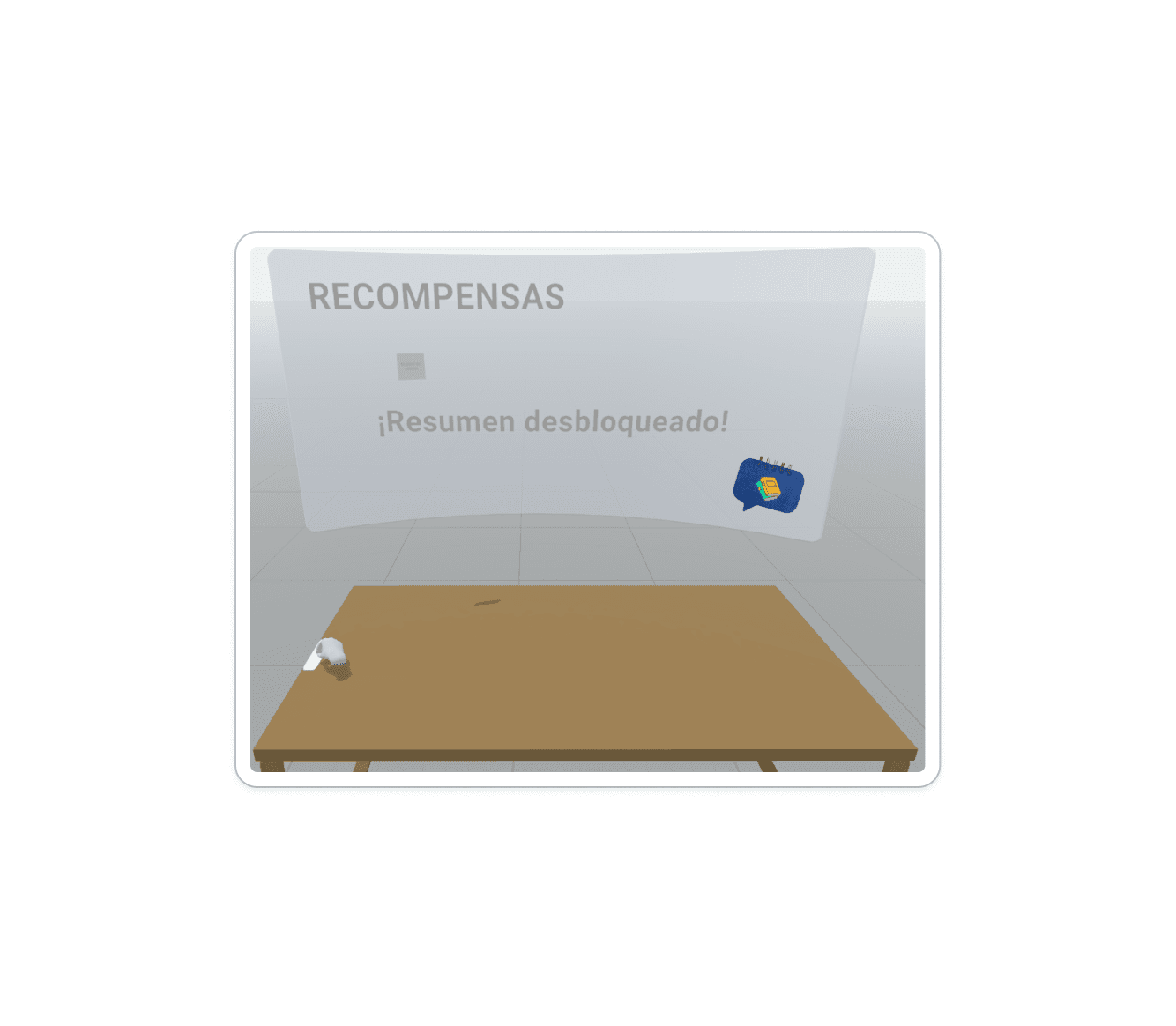
Based on these findings, we redesigned the onboarding process in a second iteration. The updated onboarding included clearer instructions and visual cues to guide users through the spatial transitions. We also adjusted the board's positioning to improve ergonomic comfort, ensuring that interactions felt more natural and intuitive. This redesign aimed to enhance the overall user experience and address the pain points identified during testing.
Changes Incorporated
Second Stage of User Testing
Building on the insights from the first round, we conducted a second stage of user testing to evaluate the improvements made to the interface. This round provided a deeper understanding of how users interacted with the redesigned system and highlighted new opportunities for refinement.
What were we testing?
The primary focus was to measure the effectiveness of the updated onboarding process and the ergonomic adjustments made to the interface. We wanted to determine if users experienced greater ease navigating the system and if the changes reduced confusion around spatial transitions. Additionally, we aimed to identify any remaining pain points in usability and ergonomic design.
What did we learn?
The success rate in this iteration was notably higher compared to the first stage, demonstrating the impact of the redesign. However, new challenges emerged:
Users felt overwhelmed in certain stages due to an excess of information being presented simultaneously.
The design did not consider potential clutter on users’ desks, such as physical objects, which affected their ability to interact with the interface comfortably.
These findings revealed that while the core usability had improved, the interface required further refinement to address cognitive overload and adaptability to different user environments.
How did we respond?
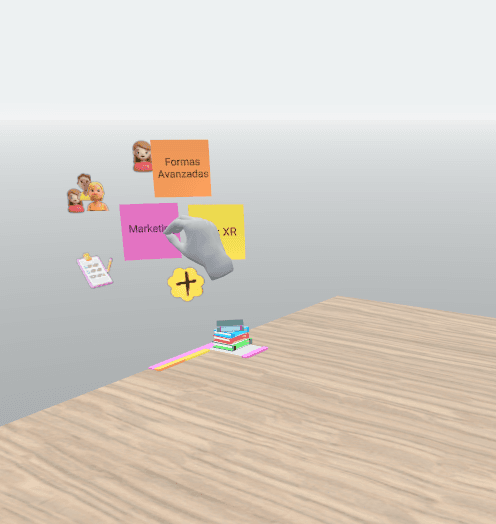
In response to these challenges, we adopted a more minimalist design approach. This involved simplifying the amount of information displayed at each stage to reduce cognitive load and guide users more effectively through the process. Additionally, we revised the interface layout to ensure it could function seamlessly regardless of the user's physical workspace setup. These changes aimed to create a cleaner, more intuitive experience, further enhancing user engagement and satisfaction.
Retrospective
Iterative Design Drives Usability
Conducting early and frequent user testing allowed us to iterate quickly, ensuring that each version of the interface addressed real user needs. This iterative process transformed the onboarding experience into something far more intuitive and accessible, enabling users to navigate the system naturally.
Simplicity and Accessibility Were Key
Shifting to a minimalist design in the later iterations proved crucial to the product's success. Simplified interfaces reduced cognitive load, allowing users to focus on the core functionality. By improving ergonomic layout and reducing unnecessary elements, we ensured the system could adapt to a variety of physical environments, making it approachable for all users.
Design Speaks to the User
The real value of Questify lay not just in its technical features but in the meaningful interactions it facilitated. By designing with the user's perspective in mind, we ensured the system encouraged engagement and exploration. This approach bridged the gap between the digital and physical spaces, helping users feel empowered to interact and make decisions confidently.
Looking Ahead
The experience reminded us that great design is not only about solving problems but also about creating new opportunities for users to connect, collaborate, and learn. Future iterations will continue to prioritize accessibility, readability, and simplicity, ensuring Questify evolves alongside its users.