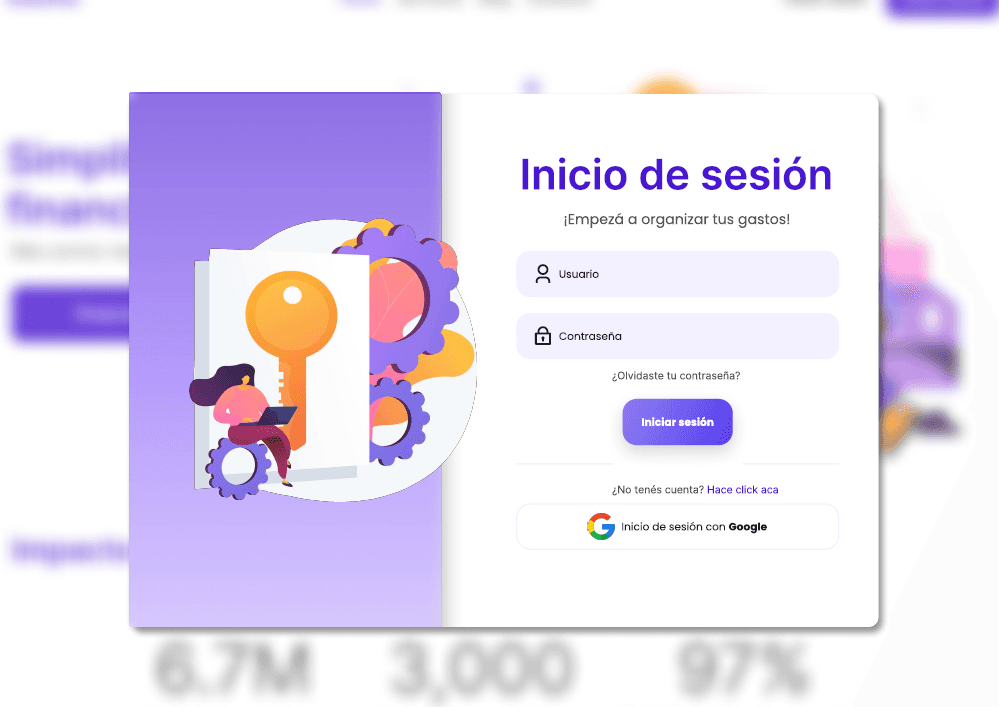
The main issue arises during the process of managing personal finances and tracking expenses. Users often rely on multiple tools or manual methods, leading to inefficiencies, lack of real-time updates, and difficulty in identifying spending patterns. This disjointed process reduces user confidence and trust in their financial decisions, making it harder to achieve financial goals.
The goal is to simplify and optimize the process of tracking and managing expenses, providing users with a unified platform that offers clear insights into their spending habits. The application aims to be intuitive, reliable, and visually engaging, helping users make informed financial decisions with ease and confidence.
The proposed solution is to develop an application that integrates expense tracking, budget management, and real-time financial insights into one platform. The app will include features such as categorized expense tracking, visual reports, and personalized recommendations to help users identify savings opportunities and maintain financial discipline. This ensures a seamless and empowering user experience for managing personal finances.
1. Empathize
Qualitative research was conducted to gather in-depth insights into users' financial management habits and challenges. This approach included interviews, surveys, and observations of users' day-to-day interactions with their finances to uncover their needs, frustrations, and expectations.
Questions
How do you currently track your daily expenses?
What challenges do you face when managing your finances?
How do you feel about using apps to manage your spending and savings?
What motivates you to stay on top of your financial goals?
Have you ever felt overwhelmed or confused by expense-tracking tools?
How important is it for you to see visual breakdowns of your spending?
Would you use a feature that offers personalized savings recommendations?
Key Insights
User experience: Users preferred tools that required minimal manual input and provided quick insights.
Identified specific problems: Many struggled with categorizing small expenses or tracking cash transactions.
Interface preferences: Users favored visually engaging dashboards with clear and simple design.
Motivations and frustrations: They were motivated by long-term savings goals but often felt discouraged by apps that lacked user-friendly interfaces.
Personalization needs: Users wanted features that adapted to their financial habits and provided actionable insights tailored to their goals.
Quantitative research was conducted to validate findings from qualitative research through measurable data collection methods, including online surveys and usage statistics.
Findings:
70% of users admitted to abandoning expense-tracking apps due to complexity or lack of integration with local payment methods.
65% expressed a desire for automatic categorization of expenses and personalized spending insights.
80% said they would prefer real-time notifications for overspending in specific categories.
50% of users tracked expenses primarily in cash, emphasizing the need for manual logging with minimal friction.
This combination of qualitative and quantitative research provided a holistic understanding of user needs, forming the foundation for Gastito’s design and functionality.
Define
User Persona
Age: 29
Occupation: Junior Accountant
Location: Buenos Aires, Argentina
Demographics
Education: Degree in Business Administration
Tech Savvy Level: Moderate (regular app user, comfortable with mobile banking apps)
Languages: Spanish (native)
Psychographics
Goals:
Gain better control over his monthly expenses and savings.
Track spending categories (e.g., food, transportation, entertainment) in a simple way.
Save up for a trip abroad within the next year.
Frustrations:
Struggles to keep track of small expenses (e.g., coffee, snacks, quick trips) that add up.
Finds traditional budgeting tools confusing or time-consuming.
Has difficulty visualizing where most of his income goes each month.
Motivations:
Wants to feel more in control of his finances.
Seeks tools that simplify tracking and provide actionable insights.
Prefers a visually engaging app to help stay motivated.
Behaviors
Often pays with a mix of cash and mobile wallets like Mercado Pago.
Checks his bank statements weekly but finds it hard to reconcile expenses across platforms.
Is motivated to use apps that provide immediate value and quick insights.
Needs & Pain Points
Needs:
An app that automatically categorizes expenses and tracks spending trends.
Clear and simple visuals to understand his financial status at a glance.
Features like reminders for bills or notifications when overspending.
Pain Points:
Manually logging expenses is tedious and prone to errors.
Traditional apps don’t account for Argentina’s inflation or fluctuating expenses.
Wants more localized solutions, like categorizing pesos vs. dollars spending.
How Gastito Helps
Gastito provides Martín with a seamless expense tracking solution tailored to his needs in Argentina. With features like automated expense categorization, spending trend analysis, and tools to set and track savings goals, Gastito empowers Martín to take control of his finances. The app’s intuitive interface and localized insights, such as tracking inflationary impacts or managing peso vs. dollar spending, ensure that Martín can confidently plan his financial future.
Design
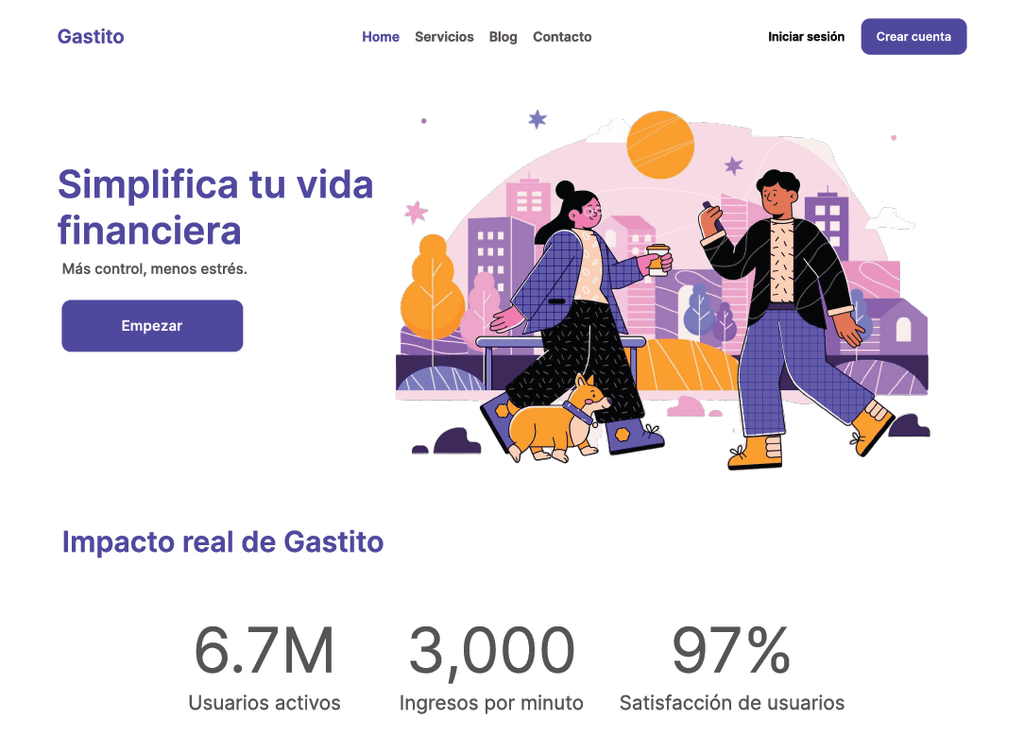
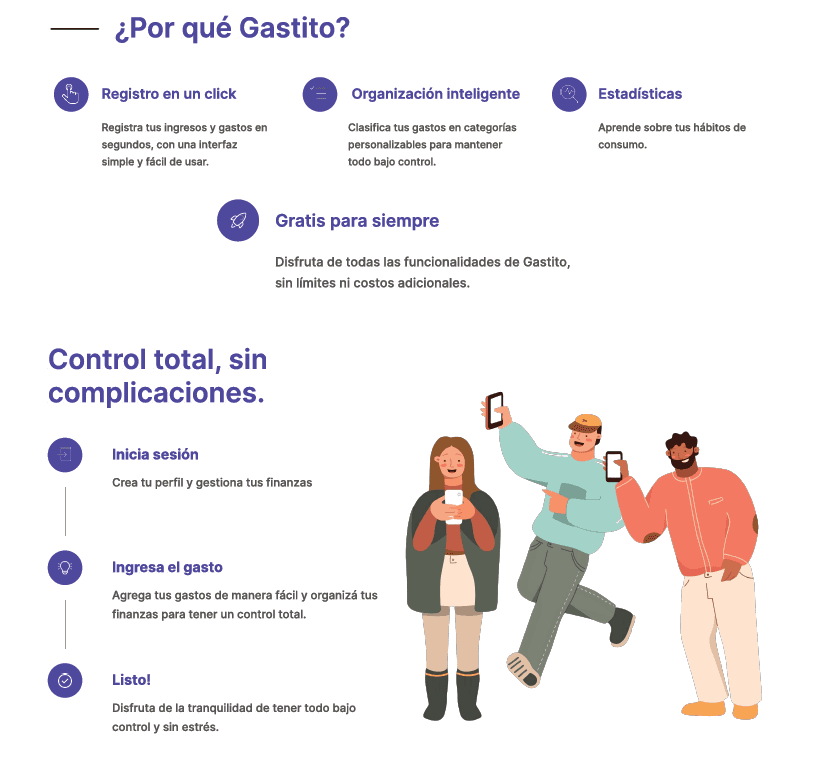
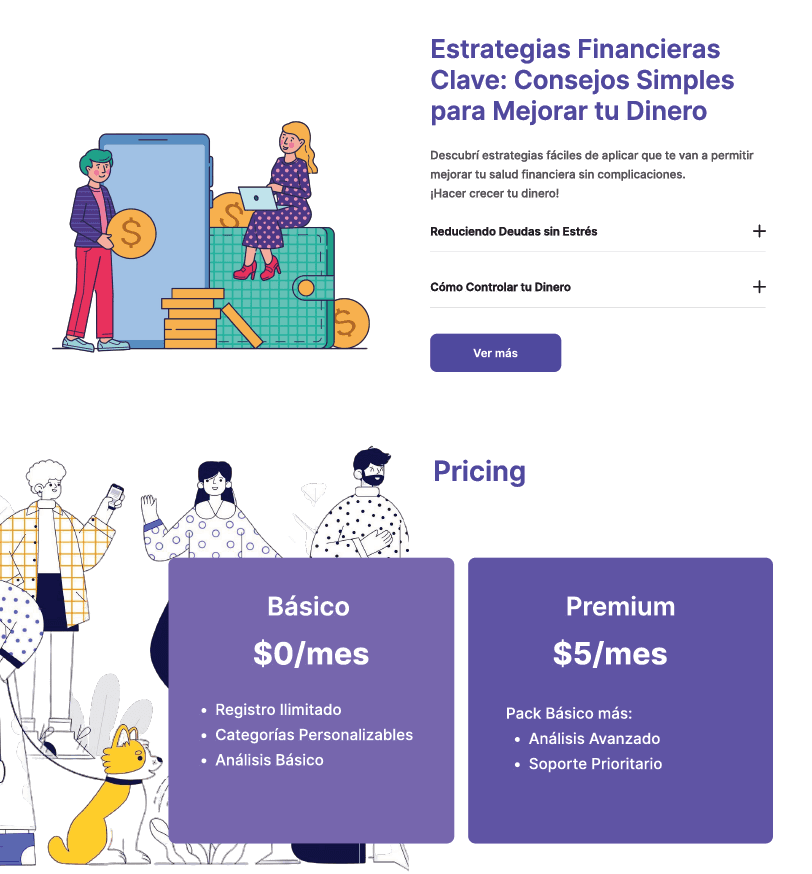
During the design stage of Gastito, the primary focus was to create an intuitive, visually engaging, and functional interface that could cater to diverse user needs. The design process followed a user-centered approach, combining insights from the research phase with best practices in UI/UX design.
Wireframing and Prototyping
The design process began with low-fidelity wireframes to map out the core features and navigation flow of the app. These initial sketches included:
A dashboard showcasing spending breakdowns with clear visuals (pie charts, bar graphs).
A categorization screen for tracking expenses in areas like food, transportation, and leisure.
A goals section where users could set and monitor their savings targets.
Once the wireframes were refined, mid-fidelity prototypes were developed in Figma, allowing for user testing and feedback loops. The prototypes emphasized simplicity and ease of use, minimizing cognitive load for users.
Visual Design
The visual identity of Gastito was crafted to evoke trust, simplicity, and growth:
Color Palette: Shades of green, orange and violet were used to symbolize financial growth and stability, complemented by neutral tones for balance.
Typography: Clean, sans-serif fonts were chosen to ensure readability across devices.
Icons and Illustrations: playful illustrations added personality to the app while keeping the design professional.
Test
During the testing phase of Gastito, we conducted extensive usability evaluations to validate the design choices and optimize the app for real-world use. A combination of A/B testing, think-aloud sessions, and survey feedback was employed to gather actionable insights.
1. A/B Testing
We ran A/B tests to determine which design elements resonated better with users and improved overall usability. Key tests included:
Dashboard Layout:
Version A: Included a detailed spending breakdown with pie charts and categorized expenses displayed prominently.
Version B: Showed a simplified layout with a single progress bar for total spending and a quick overview of top categories.
Result: 75% of users preferred Version A, stating it provided clearer insights into their spending habits. However, some users appreciated the simplicity of Version B, leading to a hybrid approach combining detailed visuals with a clean, uncluttered interface.
Quick-Add Feature Placement:
Version A: Positioned the quick-add button in the top navigation bar.
Version B: Used a floating action button (FAB) in the bottom right corner.
Result: 82% of users found the FAB more accessible, especially when using the app with one hand on mobile devices.
We recruited 10 participants aged 20-35 and asked them to complete key tasks while verbalizing their thoughts:
Tasks:
Log a daily expense.
Set a monthly savings goal.
Analyze spending trends in the dashboard.
Findings:
Users struggled slightly with the onboarding tutorial, suggesting the need for clearer instructions and more interactive guidance.
The categorization of expenses was well-received, but participants requested an option to customize categories for a more personalized experience.
Several participants highlighted that the savings goal progress bar was motivational but wanted more prompts, such as reminders or rewards for milestones.
Quantitative Surveys
After testing, we distributed surveys to collect measurable feedback:
Ease of Use: 85% rated the app as easy to use, but 15% noted initial difficulty navigating the onboarding process.
Visual Clarity: 90% of users appreciated the clean visuals, but 10% found the text contrast slightly low in certain sections.
Overall Satisfaction: 88% said the app met their expectations for managing expenses and tracking savings.
Simplified the onboarding process by incorporating visual cues and a guided walkthrough to reduce cognitive load and improve the user’s first impression.
Optimized the layout of financial charts and graphs to make spending trends more intuitive and visually engaging.
Implemented smart notifications to alert users about overspending, savings milestones, and upcoming bill payments, increasing engagement and utility.