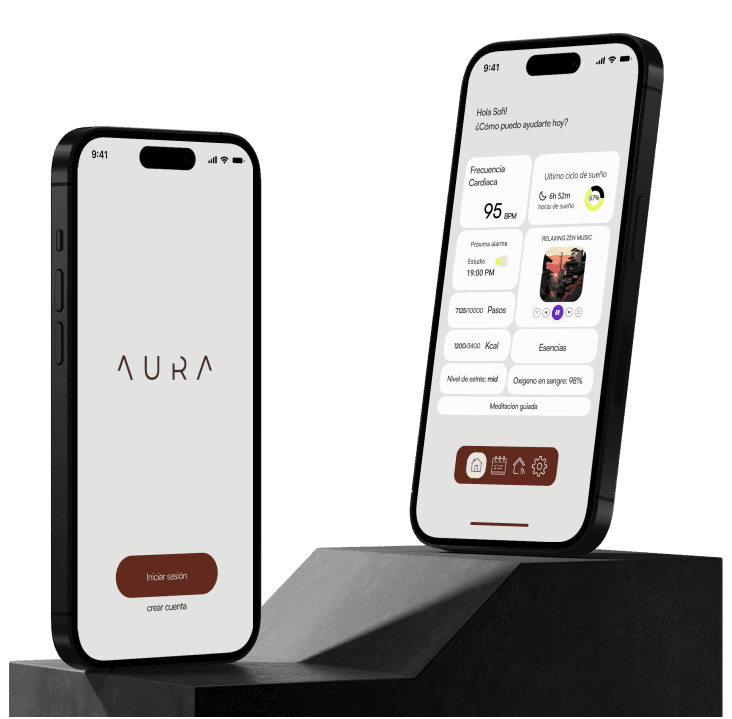
This virtual assistant combines vibration, lighting, and aromatherapy technologies to deliver customizable experiences. It creates environments tailored for relaxation or focus, using aromatic essences and adaptable lighting. The assistant provides personalized solutions for nutrition, exercise, mental health, and productivity. Designed to holistically support daily life, it helps users establish healthy routines and promotes a balanced lifestyle. By monitoring behavioral patterns, it offers tailored recommendations to enhance well-being. Additionally, it aids in task organization and time management, ensuring a harmonious balance between responsibilities and personal wellness.
Alarm
Usage
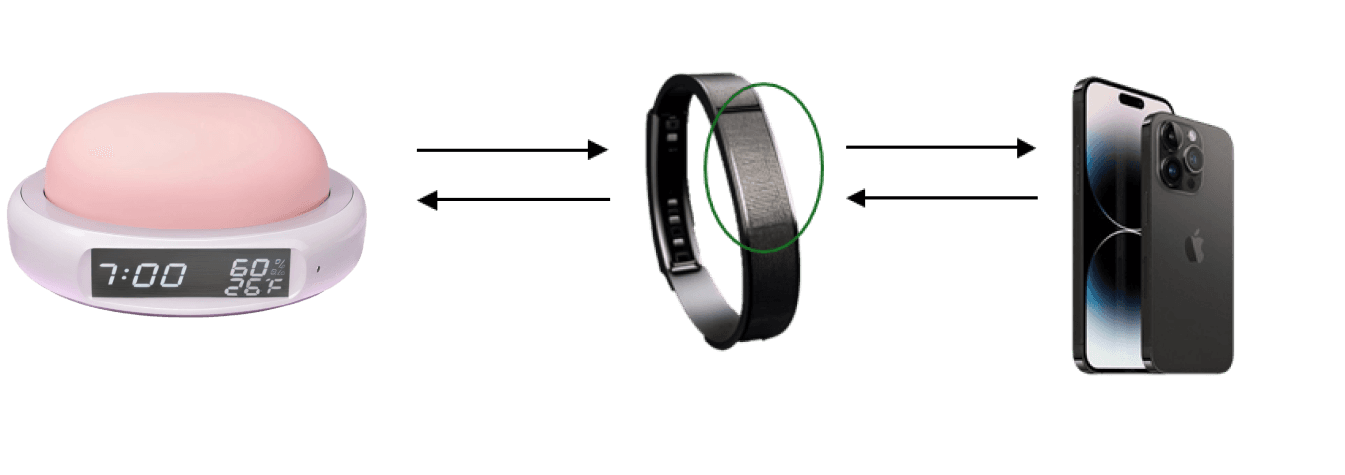
Press and hold the connectivity button to pair the device with the wristband. To link the wristband to the mobile app, press and hold the touch-sensitive area of the device.
Step 2 — Alarm Configuration
The user sets the alarm time using the touch screen on the device or through the mobile app.
The user can configure personalized routines for different days of the week or for various family members.
Wake-up preferences, including ambient sounds, light intensity, and vibration, can be individually customized.
Device Interface - Power On/Off
Powering Off: Press and hold the power button to turn off the device. When turned off, the screen will not display any information.
Powering On: When powered on, the device allows users to view all relevant information on the display.
UI
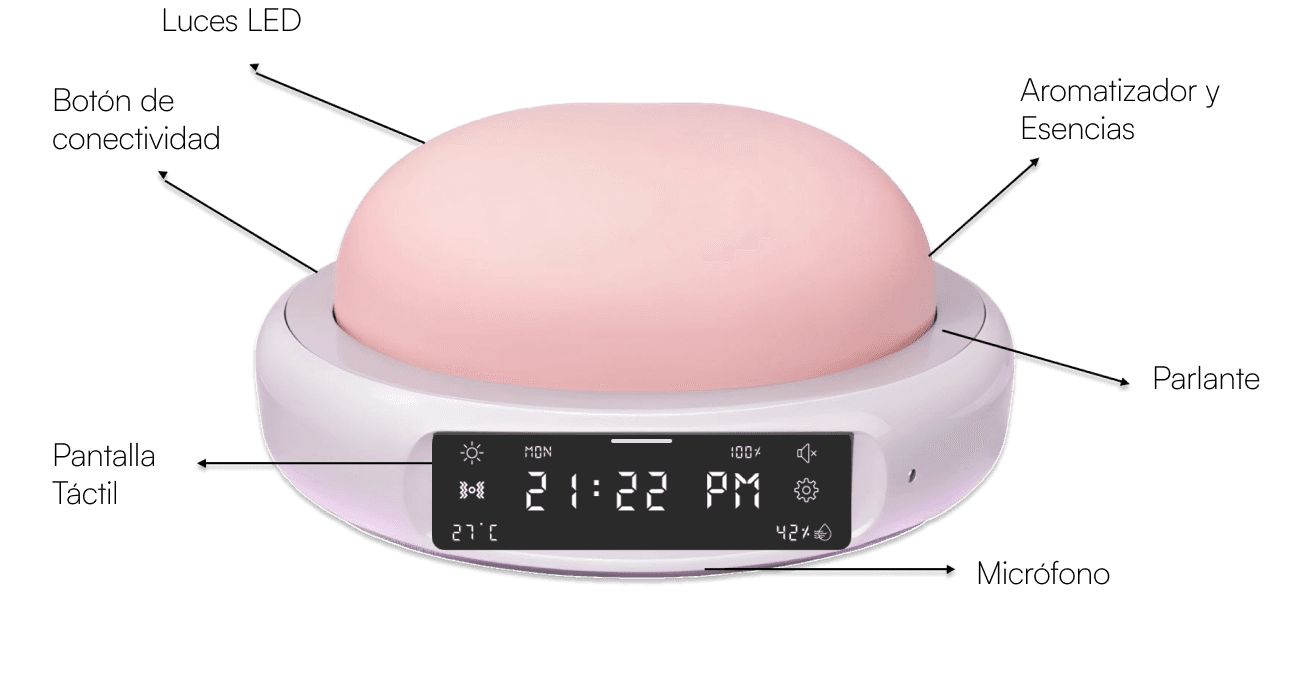
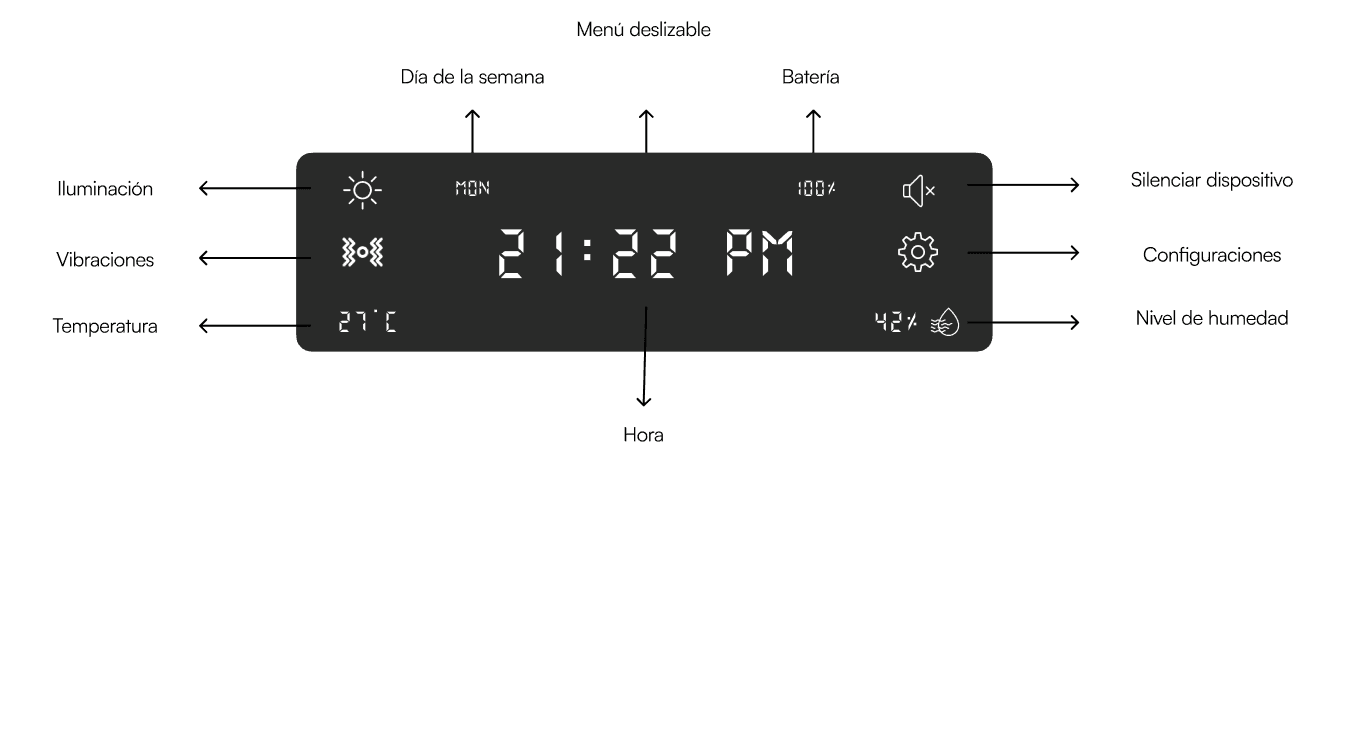
The clear visual hierarchy prioritizes the time display at the center, making it the focal point and ensuring quick access to the most critical information. The use of intuitive iconography for settings, sound, vibration, and humidity reduces reliance on text, making the interface accessible to users across different languages. Additionally, the design leverages symmetry and organization, with evenly distributed elements that create a clean and balanced layout, minimizing cognitive load. Finally, the minimalist design—featuring a high-contrast black background with white text—ensures readability in low-light environments, making it ideal for bedside or ambient settings. These elements collectively contribute to a sleek and functional interface that supports ease of use.
Empathize
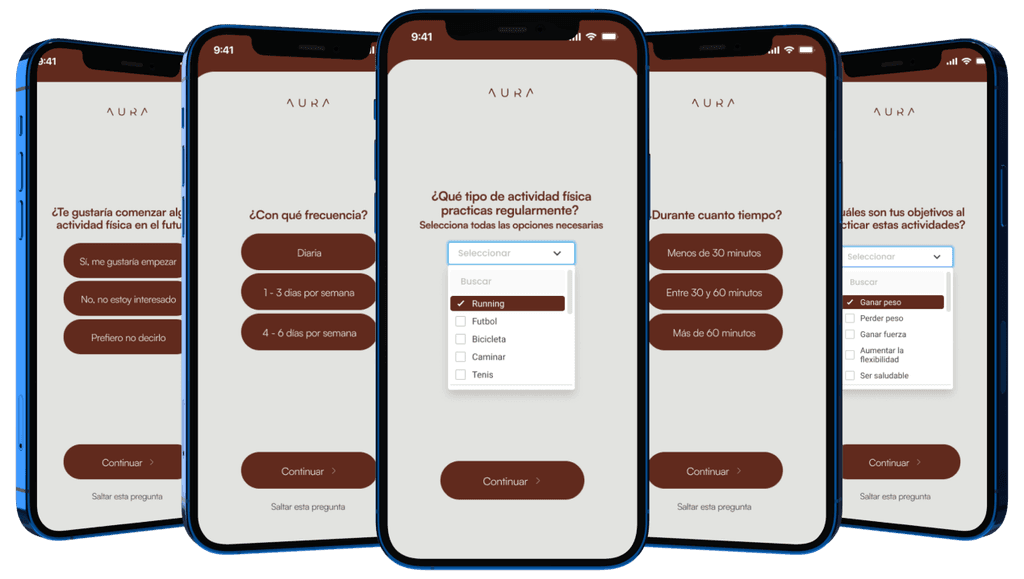
Qualitative research was conducted to understand how users interact with smart devices that combine features like vibration, lighting, and aromatherapy. Through interviews and surveys, we explored user expectations, frustrations, and needs for creating personalized and efficient experiences with a virtual assistant.
Questions
How do you currently use smart devices for relaxation or productivity?
What features do you find most helpful in devices designed to create ambient environments?
What challenges have you faced when setting up or personalizing similar devices?
How important is a simple and intuitive interface for your experience?
Would you prefer devices that adjust automatically or provide manual control options?
Key Insights
User Preferences: Users value simplicity and automation but also want the option for manual control to personalize their routines.
Barriers to Entry: Complex setup processes deter users from fully utilizing device capabilities.
Visual Communication: Clear icons and high-contrast displays are essential for usability, especially in low-light conditions.
Personalization Needs: Users desire the ability to create specific routines for different times or days, such as morning focus or evening relaxation.
Quantitative research supported these findings through data collected from 50 participants:
85% preferred devices with high-contrast displays for better readability in dim environments.
78% found customizable features (e.g., light intensity, vibration levels) critical for meeting individual needs.
65% reported frustration with overly complicated interfaces on similar devices.
90% expressed interest in routines that integrate multiple senses, such as aromatherapy, light, and sound.
Design
Wireframing and Prototyping
The design began with low-fidelity wireframes to map the core functionalities, such as:
Home Screen: Displaying the time, current routine, and device status.
Settings: Allowing users to customize lighting, vibration, and aromatherapy preferences.
Routine Manager: Enabling users to set personalized schedules for different days and times.
Mid-fidelity prototypes were developed using Figma, emphasizing simplicity and clarity. Key features included:
A central clock display for easy time reading.
Icons for quick navigation to settings, routine management, and connectivity.
High-contrast design for readability in low-light conditions.
Visual Design
Color Palette: Neutral tones with subtle accents of green and lavender to evoke calmness and balance.
Typography: Clean sans-serif fonts for readability across various device sizes.
Icons: Minimalistic and universally recognizable to reduce the learning curve.
Virtual Assistant
The virtual assistant is the central component of the system, designed to provide users with a seamless and personalized experience. Combining features like vibration, lighting, and aromatherapy, it enables users to create customized environments that enhance relaxation, focus, or productivity. The assistant supports healthy routines by offering tailored recommendations for nutrition, exercise, mental health, and time management. Its intuitive design allows users to interact effortlessly, ensuring a holistic approach to balancing responsibilities and personal well-being.
Smart Wristband
The wristband acts as a connectivity bridge between the virtual assistant and the user. Equipped with features such as syncing capabilities and interactive buttons, it allows users to manage and monitor the assistant’s functions in real time. The wristband's ergonomic design ensures comfort for daily wear, while its ability to detect and respond to the user's activity levels and sleep patterns provides additional insights. This integration adds a layer of convenience, enabling users to interact with the assistant even when away from the primary device.
Mobile Application
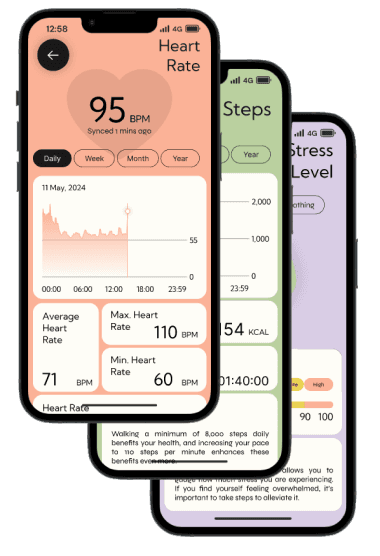
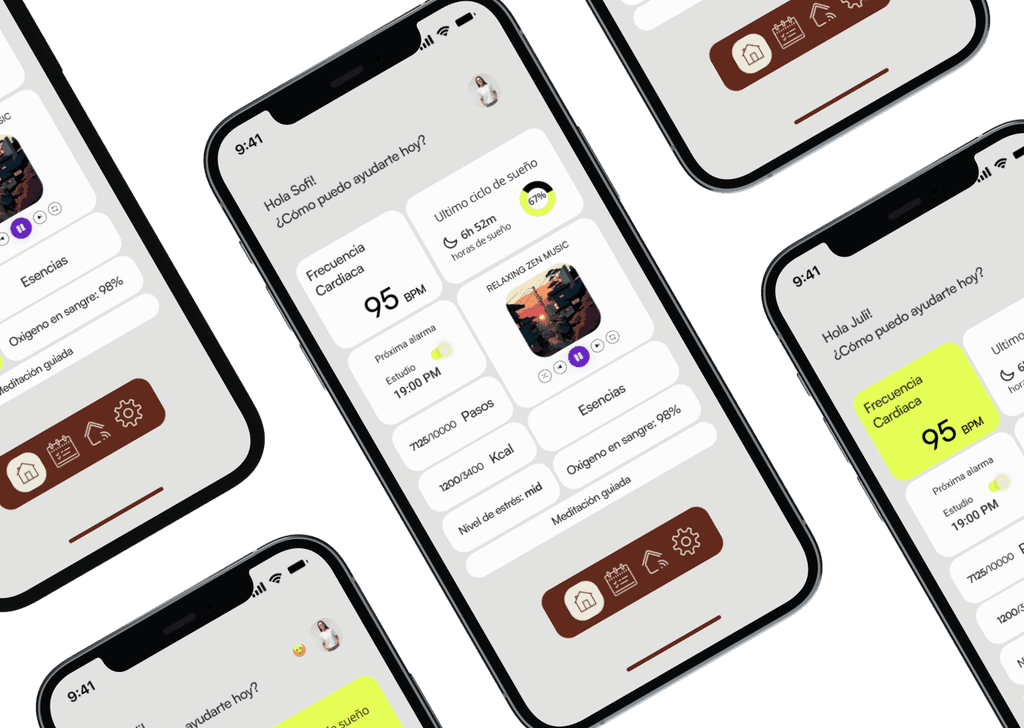
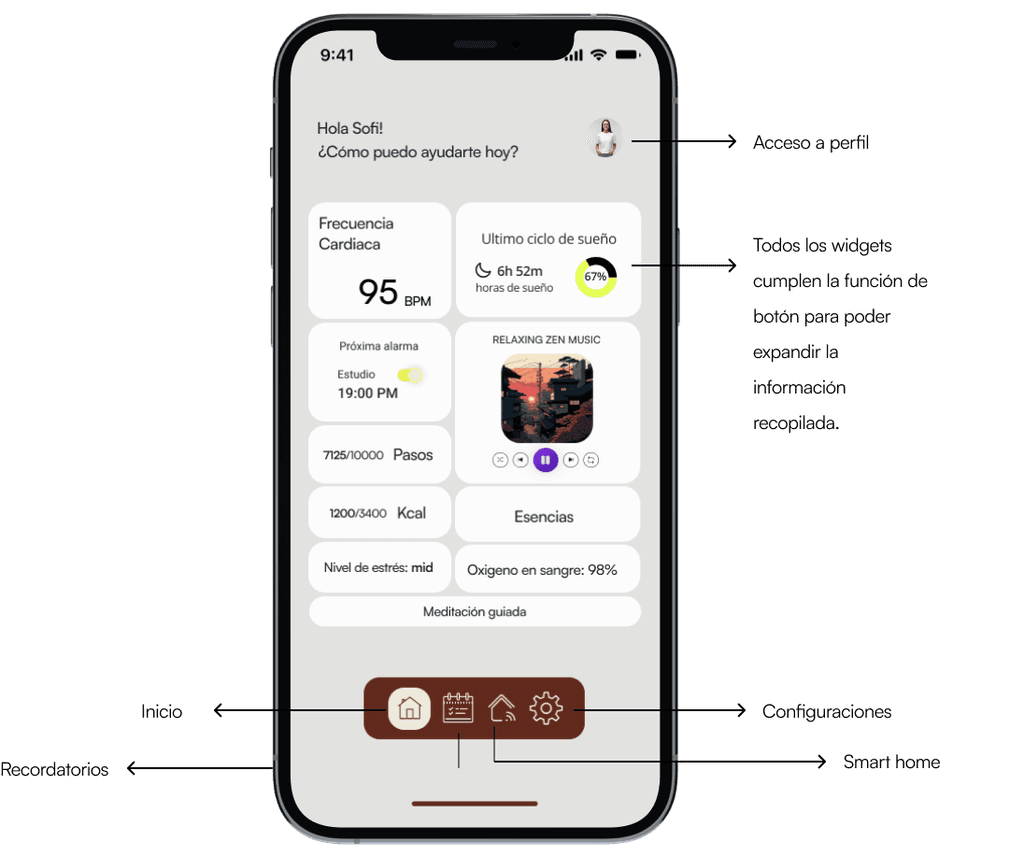
The mobile app serves as the control hub, offering users the flexibility to configure and monitor all aspects of the assistant remotely. Its clean and intuitive interface allows users to set alarms, adjust lighting and vibration levels, and customize aromatherapy preferences. The app also tracks behavioral patterns, providing personalized insights and actionable feedback. By integrating all functionalities in one place, the app ensures users can access and control their routines seamlessly, whether at home or on the go.
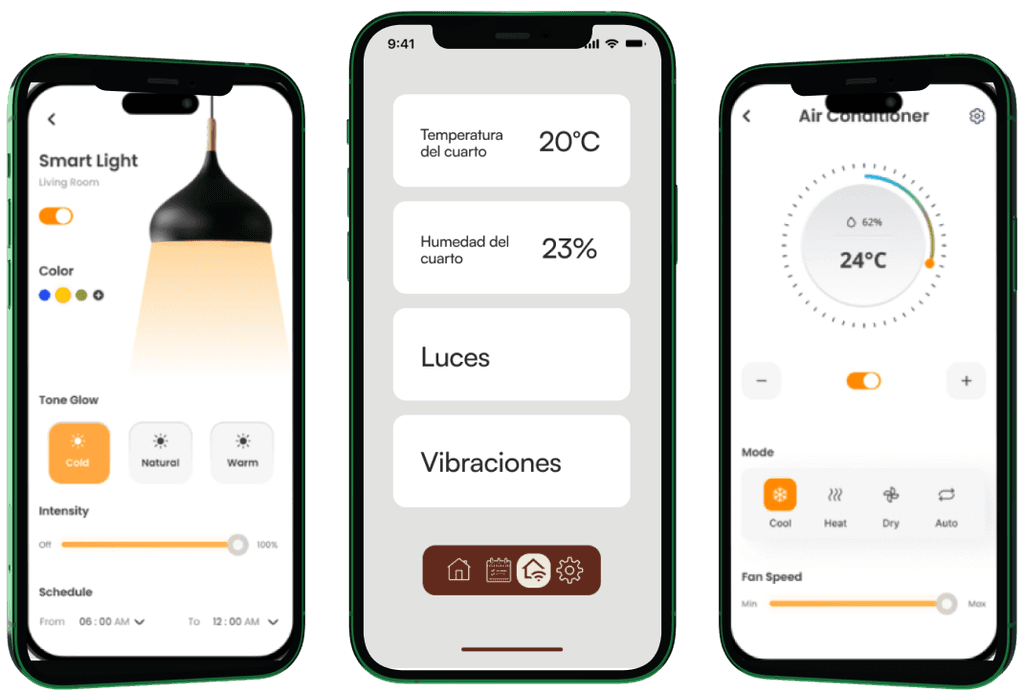
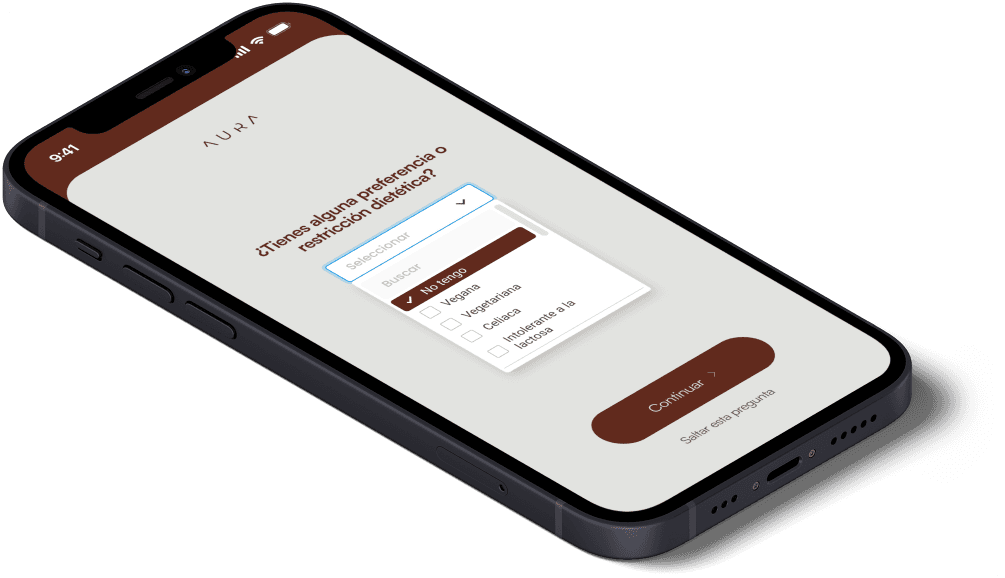
To evaluate how users interact with the assistant, wristband, and mobile app in real-life scenarios.
Participants: 12 users aged 25-40 with varying levels of familiarity with smart devices.
Scenarios Tested:
Setting a morning alarm with personalized lighting and aromatherapy preferences.
Adjusting the vibration intensity and aromatherapy remotely using the wristband.
Monitoring their daily productivity through the mobile app and setting reminders.
Insights Gathered:
Participants found the alarm setup intuitive but suggested clearer visual feedback on the assistant's screen.
Wristband interaction was highly rated for convenience, but some users requested better guidance for first-time pairing.
The mobile app's analytics were appreciated, but users requested more detailed instructions for customization options.
The development of the virtual assistant system, integrating the assistant, smart wristband, and mobile app, has demonstrated the potential for technology to enhance daily routines and promote a balanced lifestyle. Through iterative design, user-centered development, and comprehensive usability testing, the project has successfully created a holistic ecosystem that addresses relaxation, productivity, and well-being.
The system’s ability to offer personalized experiences—such as customizable alarms, aromatherapy, and real-time insights—received positive feedback from users. The integration of intuitive controls across the assistant, wristband, and app ensures a seamless interaction flow, making it accessible to users of varying technical expertise. Usability tests highlighted the system’s strengths, such as its minimalist design, convenience, and adaptability to diverse user needs, while also identifying areas for improvement, like enhanced onboarding guidance and more detailed feedback in the app.
Overall, this project highlights the importance of combining technology with human-centered design to support and enhance everyday life. By addressing key pain points and providing tailored solutions, the system empowers users to take control of their routines, fostering healthier habits and improving quality of life. Moving forward, the inclusion of additional features like expanded aromatherapy options and more robust analytics can further refine the system and continue to deliver value to users.